
Download Stake App for Android and iOS in Australia
The Stake app is a progressive web app: the official site is added to the home screen and opens like an installed application, with the full casino, sportsbook, poker and wallet. This Stake Australia page shows how to download Stake on iPhone, Android and PC, what the app includes and how to keep it secure.
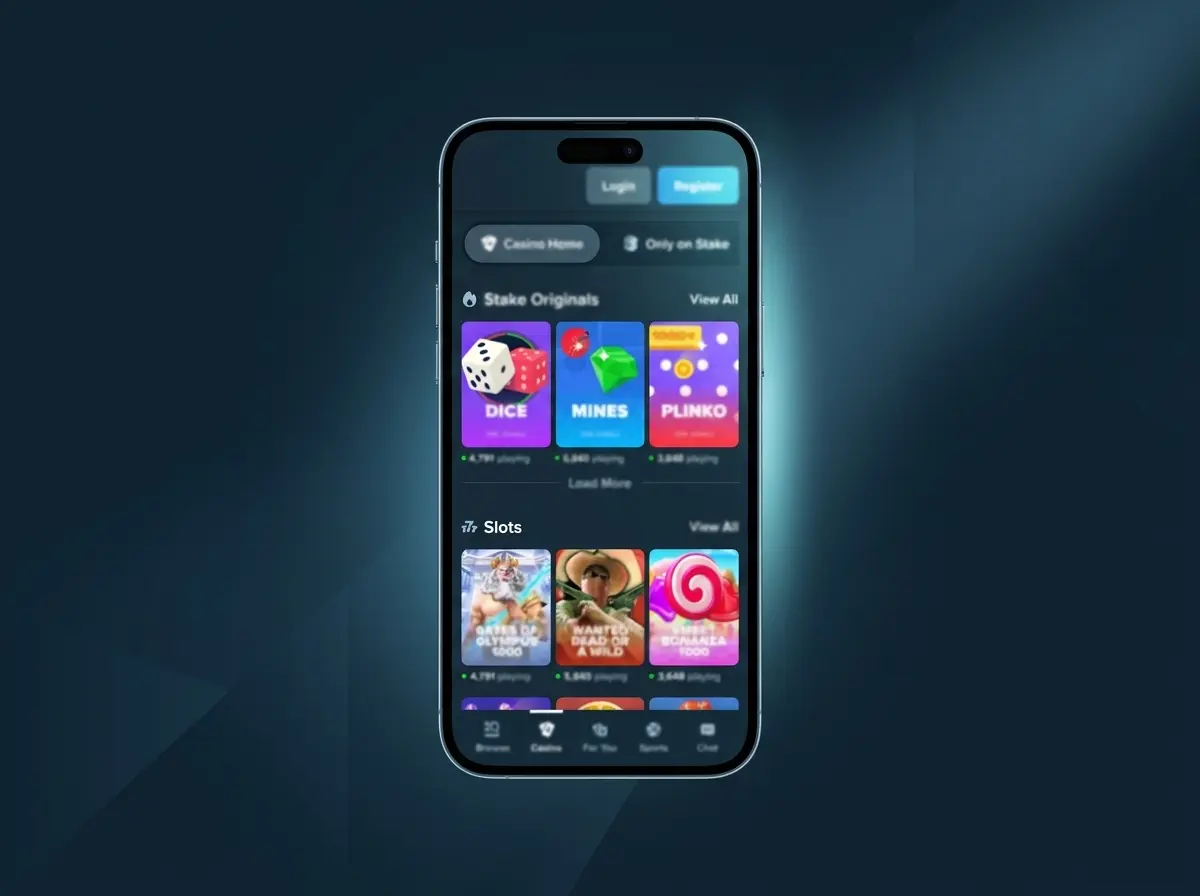
What Is the Stake App?
Instead of a file from an app store, the Stake mobile app is the official website installed on the home screen. It gets its own icon, opens without the browser address bar and can send notifications about bet results, new releases and promotions. Stake says setup takes about ten seconds, and because the app always loads the live site, it never needs updating.
| Field | Details |
|---|---|
| Android | Web app installed from Chrome |
| iPhone and iPad | Web app via Safari, Add to Home Screen |
| PC and Mac | Web app installed from Chrome or Edge |
| Price | Free, no in-app charges |
| Google Play and App Store | Not listed |
| Products | Casino, Stake Originals, live casino, sportsbook, poker |
| Login | Email or username, Google, Kick, passkey |
| Support | 24/7 live chat from the Chat tab |
Stake App Download on Android
On Android the Stake download takes a few taps in Chrome.
Open stake.com in Chrome
Tap Download App at the top of the page.
Open the browser menu
Tap the three-dot menu in the top-right corner.
Install the app
Select Install app or Add to Home screen and confirm.
Log in from the new icon
The icon opens the site full-screen and keeps the session.
Stake APK Files from Other Sites
A search for a Stake APK turns up many copies on unknown sites. They are not published by the operator; some are outdated, others are repackaged to steal passwords and crypto, because an installed file can ask for permissions that a web app never gets. Downloads bundled with a crash or mines predictor are a particular red flag: results of in-house games are provably fair and cannot be predicted. If such a file was installed, it should be removed, the password changed and two-factor authentication turned on.
Stake App on iPhone and iPad
There is no Stake listing in the App Store, so searching there only brings up unrelated apps. On iOS the app is added from Safari.
Open stake.com in Safari
Tap Download App on the mobile site; other iOS browsers may not show the home-screen option.
Tap the Share icon
The square with an arrow sits at the bottom of the screen on iPhone and at the top on iPad.
Select Add to Home Screen
Scroll down the share sheet if needed, then tap Add.
Log in from the new icon
Balance, bets and VIP progress are shared with the desktop account.
Stake Desktop App for PC and Mac
In Chrome or Edge, the install icon in the address bar or the Install page as app option in the menu turns stake.com into a desktop app with its own window and taskbar shortcut. Nothing else needs to be installed, and the shortcut can be removed like any other app. The desktop version keeps the full left sidebar with the casino and sportsbook, the search field and the Live Events counter.
Inside the Stake App
On a phone the sidebar is replaced by a bottom bar with Browse, Casino, For You, Sports and Chat; inside the sportsbook the For You button turns into Bet Slip. Browse opens the full menu with promotions, the VIP Club, sponsorships and the language switch.
- In-house games such as Plinko are built for touch screens, with the game on top and the bet controls below.
- Third-party crash games like Avia Masters open in portrait or landscape, depending on the title.
- Live tables use far more data than slots, so Wi-Fi is the better choice for long sessions.
- Interrupted bonus rounds are not lost: reopening the game with the same currency resumes the feature.
As a Stake betting app, the mobile sportsbook keeps the Live and Upcoming, Outrights and All tabs, with every market from the desktop site. Accepting odds changes in the bet slip settings avoids rejected bets during fast live play.
Stake App or Desktop: What Differs
| Feature | Mobile app | Desktop |
|---|---|---|
| Games and sports | Full catalogue | Full catalogue |
| Navigation | Bottom bar and Browse menu | Left sidebar |
| Installation | Home-screen icon | Bookmark or installed window |
| Login | Passkey with fingerprint or Face ID | Password, Google, Kick or passkey |
| Payments | Same wallet | Same wallet |
The app needs no storage for updates and is always current; on the other hand it needs an internet connection, has no store listing, and live streams use a lot of mobile data.
Is the Stake App Safe?
The web app runs over an encrypted connection and works without any phone permissions. Most risks come from outside: fake copies, phishing messages and shared phones. Stake only writes from noreply@stake.com, noreply@mail.stake.com and support@stake.com, so download links sent from other addresses should be ignored.
- Set a screen lock with a PIN, fingerprint or face unlock.
- Add a passkey in Settings, Security, Add Passkey, then log in with a fingerprint or Face ID.
- Turn on two-factor authentication; the 30-second code protects logins and withdrawals.
- On iPhone, keep cookies allowed for Safari, otherwise the app logs out every time it is closed.
Stake App Not Working? Quick Fixes
| Problem | Fix |
|---|---|
| No Add to Home Screen option | Use Chrome on Android or Safari on iOS |
| Logged out every time | Allow cookies and turn off private browsing |
| Security check repeats | Clear cache and cookies, then reload |
| Game froze during a bonus | Reopen the game with the same currency; the feature resumes |
If the problem remains, the Chat button in the bottom bar opens 24/7 Stake support; a screenshot and the bet ID speed things up.
FAQ
Is there a Stake app in the App Store?
No. On iPhone and iPad the app is added from Safari with Share, Add to Home Screen.
Is the app free?
Yes. Installing the web app costs nothing and has no in-app charges.
Do I need a separate account for the app?
No. The same login, balance, bets and VIP progress work on mobile and desktop.
Can I bet on sports in the app?
Yes. The mobile sportsbook has live and upcoming events, outrights and the same markets as the desktop site.
Do I need an APK on Android?
No. The app installs from Chrome as a web app; APK files from other sites are not official.
Why does the app log me out?
The browser is blocking cookies or running in private mode. Allow cookies and reopen the app.
Updated: